Band & Channel Lock in NetMonster: 4G and 5G via Shizuku
With Shizuku running, NetMonster can lock your phone to chosen 4G and 5G bands or to a single channel (ARFCN). It's an experimental tool: it works on many phones, not on all of them, and you use it at your own risk.
Android lets you pick at most which network types your phone may use - 2G, 3G, 4G or 5G. Which bands and channels it actually uses is up to the modem. With Shizuku running, NetMonster can tell the modem exactly which 4G and 5G bands, or which single channel, it may use.
What you can lock
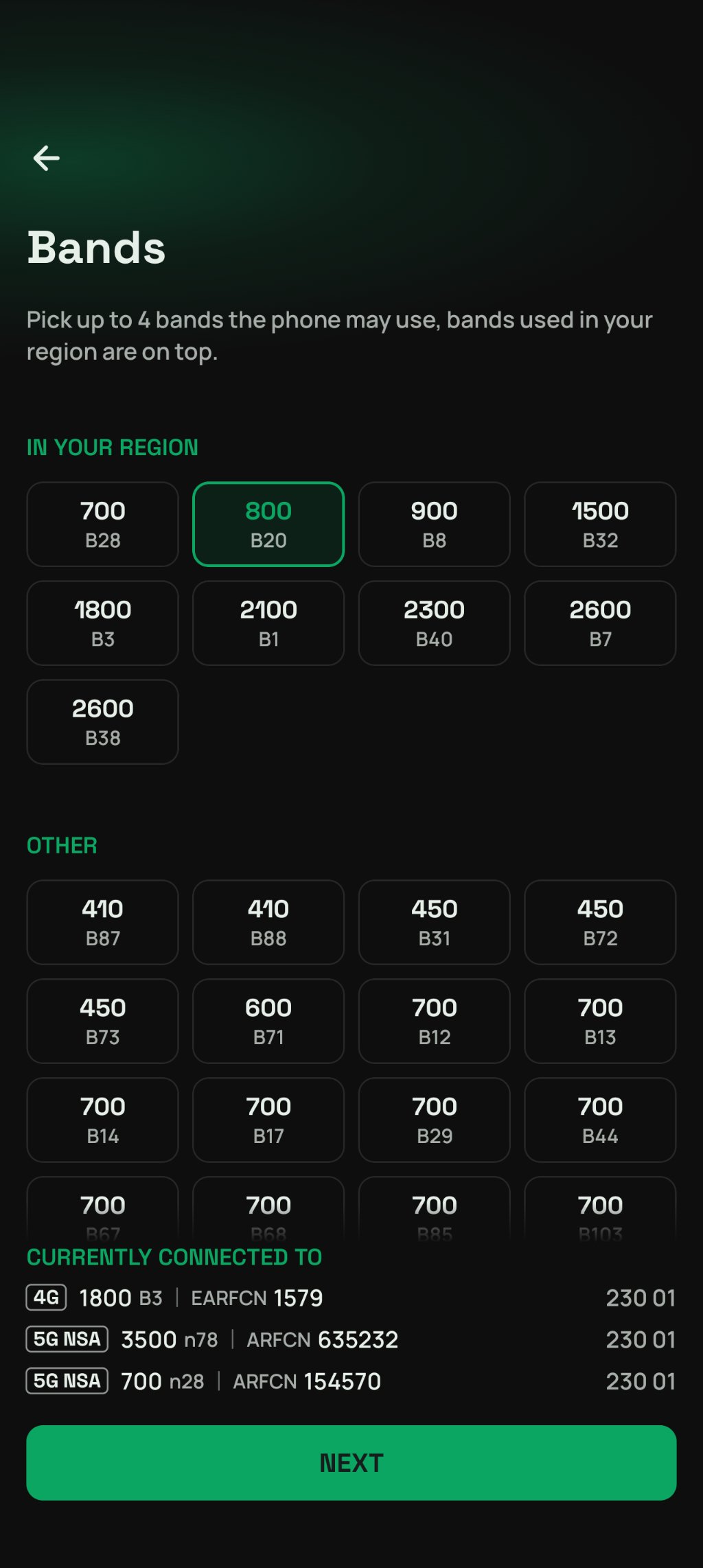
Bands - up to 4 LTE or 5G NR bands the phone may use. Bands used in your region are listed first.
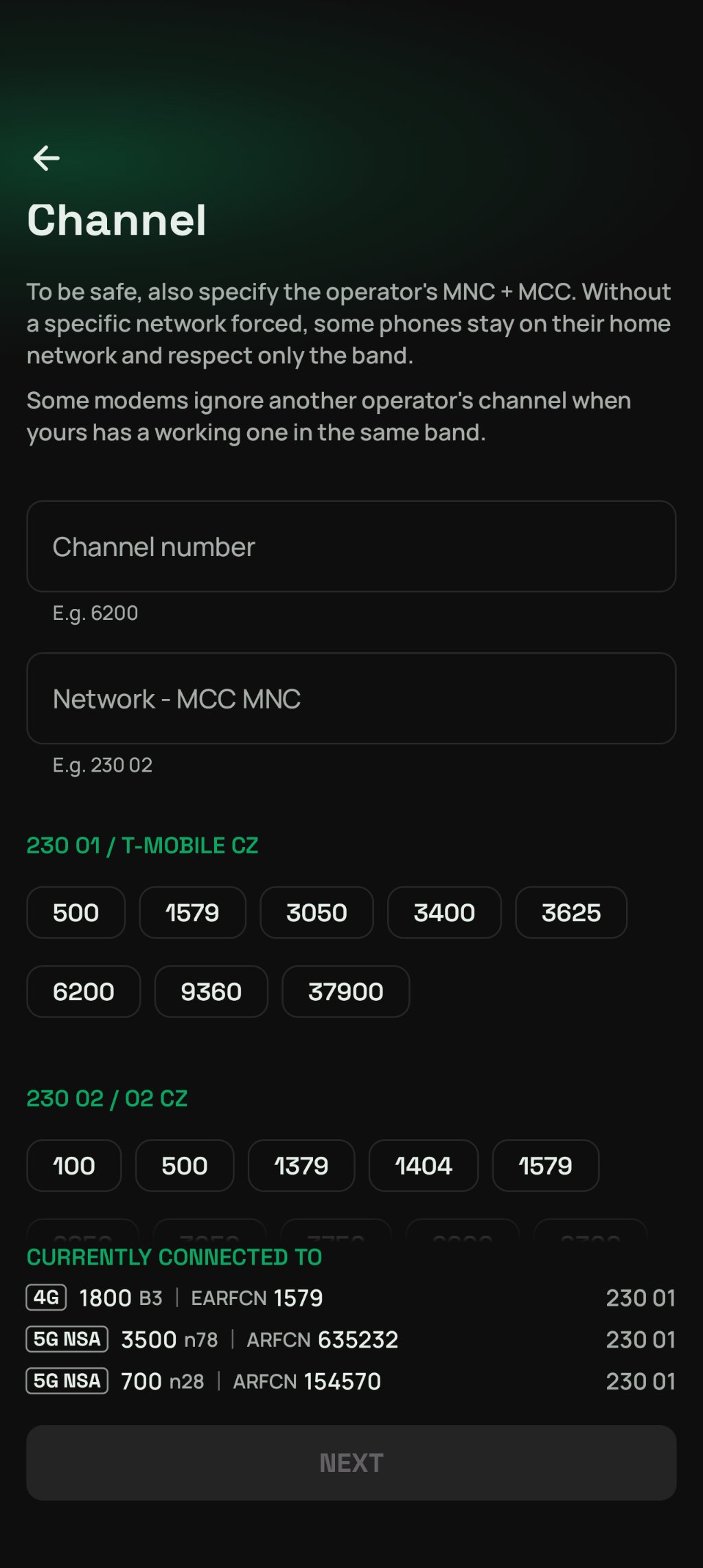
One channel (ARFCN) - a single EARFCN for 4G or NR-ARFCN for 5G, its band follows from it.
Each lock can also:
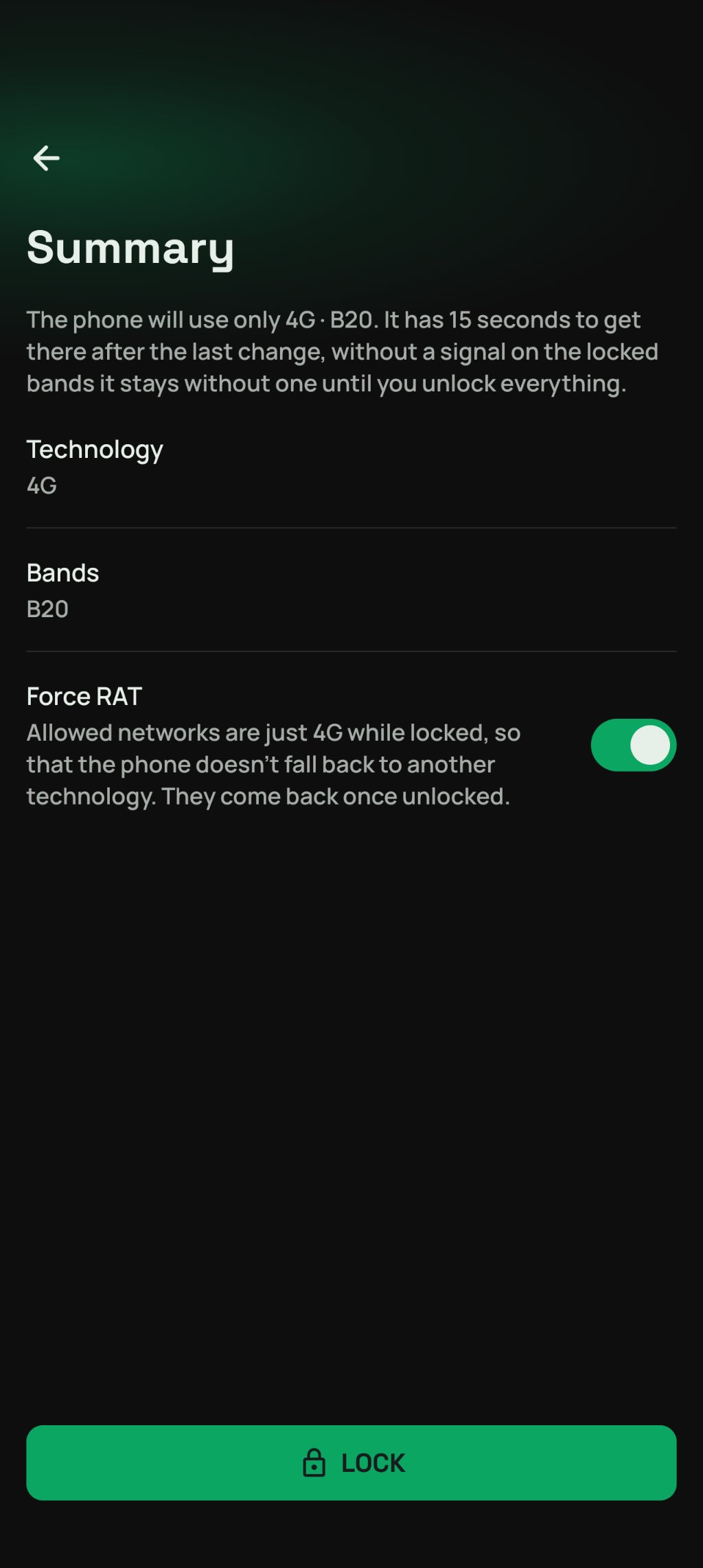
Force RAT - allow only 4G or only 5G while locked, so the phone doesn't fall back to another technology. On by default.
Pick a network - register to a given network (MCC MNC) by hand after a scan of the networks around. Useful for channel locks, some phones stay on their home network otherwise.
Once applied, NetMonster watches where the phone goes and tells you whether it got there, ended up without signal, or the modem ignored the lock. How long it waits is up to you in Band selection preferences. Locks that worked are kept in Recents, so you can use them again with a single tap. Unlock all puts the bands, channel, network and allowed networks back as they were.
Every modem is different
A lock is a set of commands sent to the modem, tuned to work as well as possible on most phones. NetMonster picks the way your phone understands: MediaTek's own AT commands, Motorola's own service on its Qualcomm phones, or Android's system selection channels on other phones with Android 11 and newer.
Still, no result is guaranteed. A modem may ignore the lock, apply only part of it or do something else, and a system update can change that. Some phones keep the lock even after a restart, others forget it. Try what works on your phone - and if something doesn't, send us a bug report from the app.
At your own risk
Band locking changes how the modem of your phone works. It's an experimental tool for those who know what they are doing:
The phone may lose signal completely - no calls, texts, data or emergency calls until the lock is lifted.
If something goes wrong, allowed networks and network selection may have to be set back by hand.
Registering to another operator's network may be refused or charged as roaming.
Looking for a signal on locked bands drains the battery faster.
In the worst case, the lock can leave the modem in a state that breaks your phone's connection for good.
You use band locking at your own risk, NetMonster takes no responsibility for its consequences. Before the first lock, the app asks you to accept these risks.
How to start
Install Shizuku, start it and allow NetMonster in it.
In NetMonster, open Tools and turn on Shizuku.
Open Band & channel lock, accept the risks and pick what to lock.